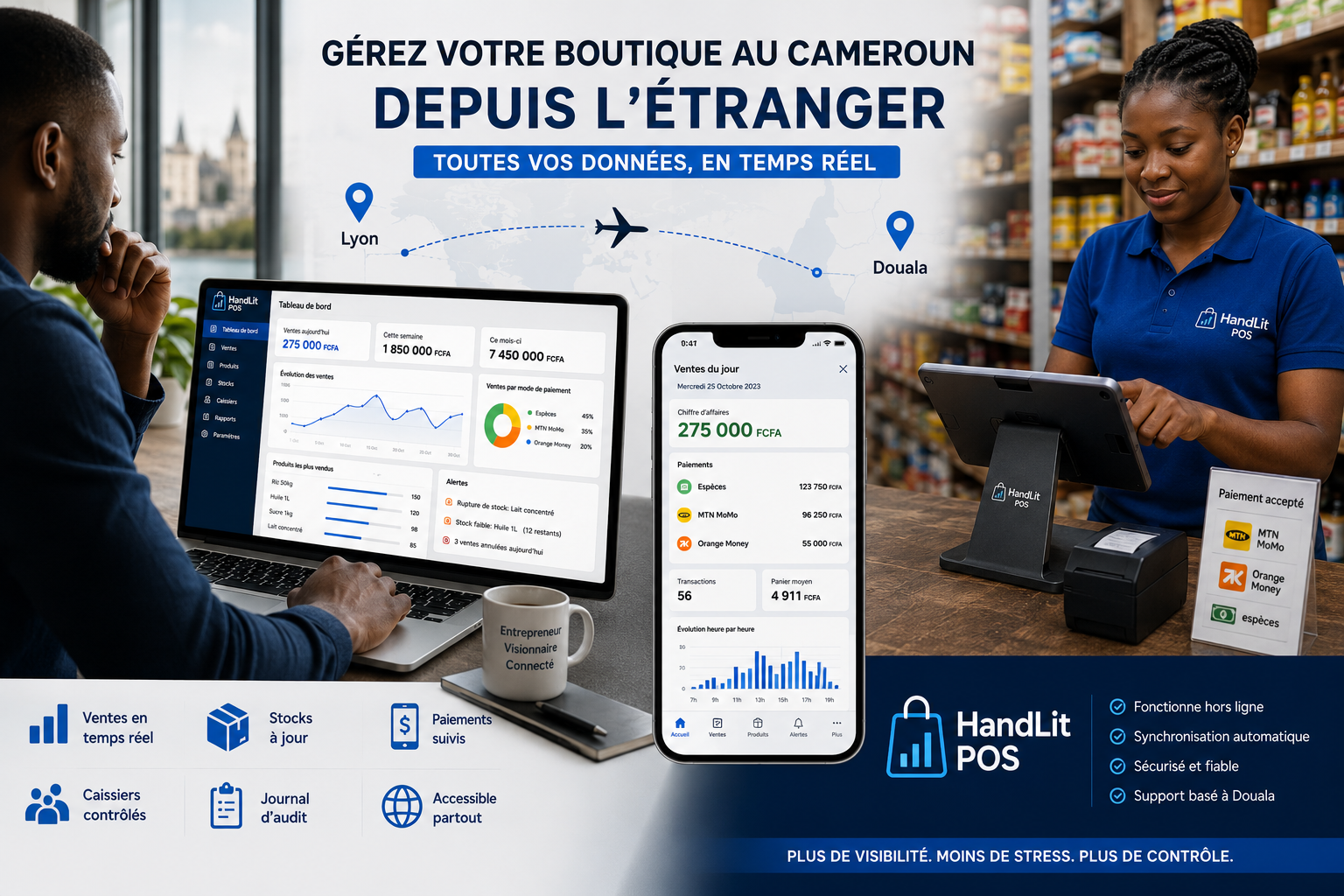
Managing Your Shop in Cameroon from France: The Complete Guide 2026 | HandLit POS
A complete guide for diaspora members who want to manage their Cameroonian shop remotely using HandLit POS.
Are you in Lyon, Brussels, or Montreal? Your shop is in Yaoundé or Douala. Between you and your business, there are thousands of kilometers — and often, a constant worry.
Are the sales going well today? Is my manager telling me the truth? Why does this month's profit not match what I expected?
If you recognize yourself in these questions, this guide is for you.
The Real Problem: Information
Managing a business remotely is not impossible. Thousands of members of the African diaspora do it. The problem is not the distance — it's the lack of reliable real-time information.
When you rely on a phone call or a WhatsApp message to find out how the day went, you depend on someone else's goodwill and accuracy. And even with the best manager in the world, human memory is fallible, and calculation errors are common.
The solution is to stop relying on verbal reports. It’s about having the data directly.
What You Need Specifically
To manage your business in Cameroon from abroad, you need three things:
A point-of-sale system on-site — installed on a tablet or Android phone, used by your cashier to record every sale.
An online accessible dashboard — which you can open from your computer or smartphone in Europe or North America.
Automatic synchronization — so that what your cashier records in Cameroon appears on your dashboard.
That’s exactly what HandLit POS does.
How It Works Day-to-Day
Your cashier in Douala starts their day. They open the HandLit app on their Android tablet. As soon as a customer makes a purchase, they record the sale — product, quantity, payment method (cash, MTN MoMo, Orange Money). The sale is saved immediately, even without an internet connection.
From your side, whether in Paris or Brussels, you open your HandLit dashboard in your browser. You see:
Real-time sales for the day as soon as the tablet synchronizes
Revenue by day, week, or month
Top-selling products and those that aren’t moving
Each cashier's activity — who sold what, when
Stock status — what’s left, what needs to be reordered
A complete audit log — all cancellations, modifications, and unusual actions
What If My Manager Isn't Comfortable with Technology?
This is a legitimate concern. HandLit has been specifically designed for African businesses, with a simple and intuitive interface. Getting started usually takes less than 30 minutes. The cashier doesn’t need to understand technology — they select the products, confirm, and it’s recorded.
Our team based in Douala can assist your manager with installation and initial training.
The Issue of Theft and Loss
Let’s not pretend this issue doesn't exist. It’s often the main reason why diaspora members seek a remote management solution.
HandLit provides several levels of protection:
Unique PIN code for each cashier — every sale is tied to an identified employee
Complete audit log — every cancellation, every price modification, every unusual action is recorded with the time and the cashier’s identity
Alerts for anomalies — serial cancellations, cash discrepancies, activity outside of normal hours
Automatic reconciliation — you compare what your cashier has collected with what the system has logged
“Before HandLit, I was sending 200,000 FCFA worth of goods every month without knowing how much was sold. Now I can see everything from Marseille, in real-time. My manager knows this too — it has changed their behavior.” — Chidemma O.
How Much Does It Cost?
HandLit POS is available for 25,000 FCFA per month or 250,000 FCFA per year (which includes two months free). The annual subscription includes an Android tablet and a Bluetooth printer.
There are no hidden fees, no commissions on sales, no installation costs. The 30-day free trial requires no credit card.
Where to Start?
Setting up takes less than a day:
You create your HandLit account for free
Your manager downloads the Android app on their tablet
You add your products (or your manager does it)
You connect your dashboard from your computer in Europe
Your shop starts transmitting its data in real-time
Try HandLit for free for 30 days. No payment required to get started.
Get our tips
Tips for better managing your shop, delivered straight to your inbox.