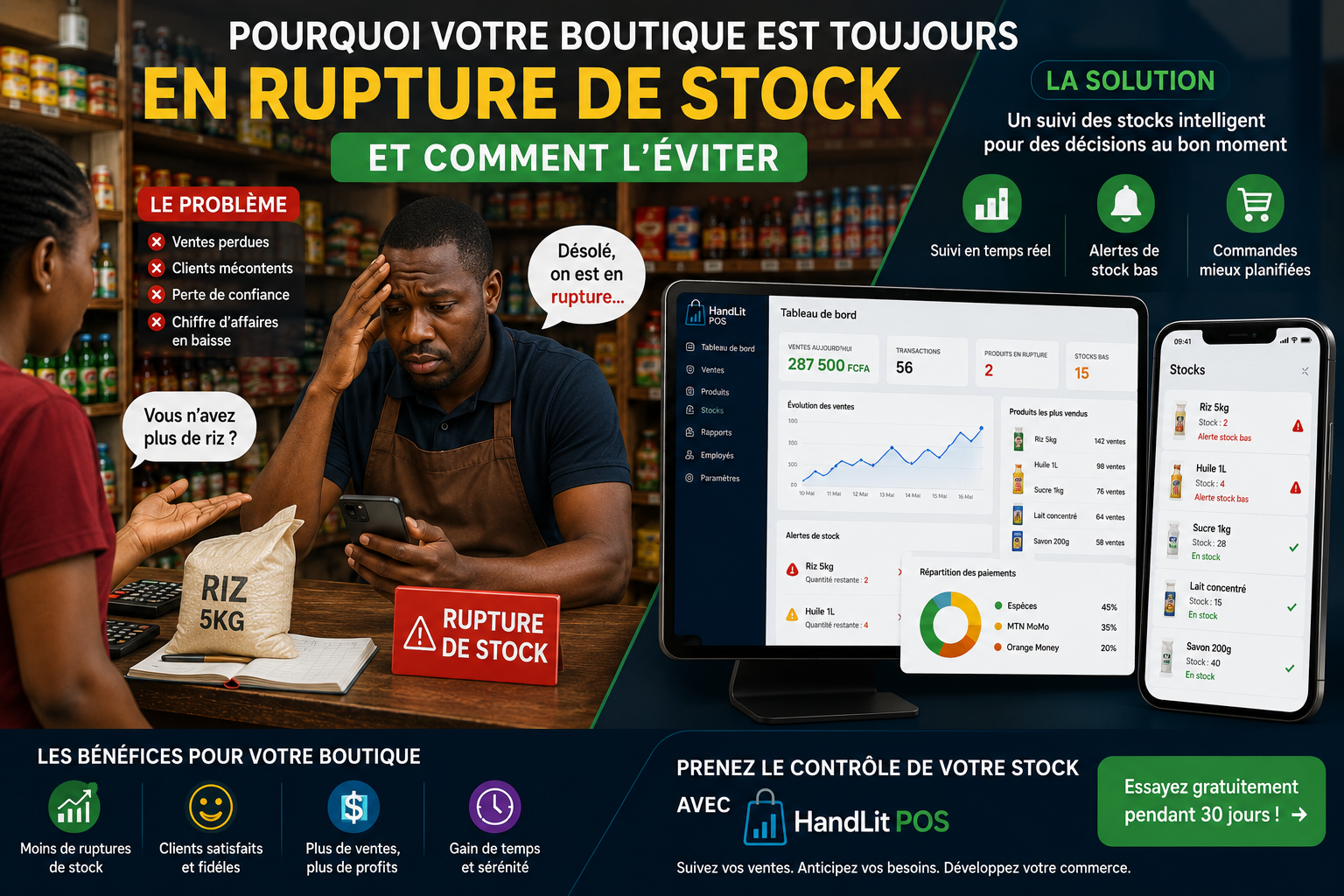
Why Your Shop is Always Out of Stock (and How to Avoid It)
Tired of losing customers? Discover why your shop runs out of stock and how to optimize your supplies with smart tracking.
Why Your Shop is Always Out of Stock (and How to Avoid It)
You are probably familiar with this situation.
A customer walks into your shop and asks for a popular product. You know that this item sells very well. Yet, your salesperson replies:
“Sorry, we don't have any in stock.”
The customer leaves disappointed and heads straight to buy from your competitor. A few days later, you finally receive a delivery… but it consists of items that hardly sell.
The problem lies neither with your supplier nor your employees. The real issue is the lack of automated stock tracking.
In this practical guide, we will analyze why stockouts are so common in businesses in Africa and how to implement effective management to protect your revenue.
🛑 How Much Does a Stockout Really Cost You?
When a product is missing from the shelf, many merchants mistakenly think: “It's okay, the customer will come back tomorrow.”
In reality, consumer habits have changed. If your shop doesn't meet an immediate need, the customer finds an alternative in just a few minutes.
Stockout = Lost Sale + Unsatisfied Customer + Damaged Image
The financial and commercial consequences are direct:
Immediate loss of revenue: Money goes directly into a competitor's cash register.
Decrease in customer loyalty: A customer disappointed two or three times will not return.
Unnecessary logistical costs: Urgent orders often cost more in transport.
🔍 The 4 Main Causes of Stockouts in Stores
To solve a stock issue, you first need to understand its source. In most shops and mini-markets, stockouts can be attributed to 4 factors:
1. Manual (or Notebook) Stock Tracking
Recording entries and exits in a manual log inevitably leads to errors. Between missed entries, thefts, and lapses in attention, the figures on paper quickly cease to match the reality on the ground.
2. Replenishments Made "by Feel"
Without precise data on past sales, orders are placed blindly: either too late (causing the stockout) or in excessive quantities (locking your cash flow in stagnant stock).
3. Lack of Knowledge of Best-Selling Products (Top A Products)
Do you know precisely which 10 products generate 80% of your revenue? Without that visibility, you risk treating the replenishment of rice or milk with the same urgency as a marginal product.
4. Absence of Real-Time Sales Recording
When a sale is not recorded immediately at the cash register, your theoretical stock level is incorrect. You believe you have stock when your shelves are empty.
💡 Did you know?
An average business can lose up to 15% of its annual revenue solely due to poor stock management and unanticipated stockouts.
🛒 Which Products Are Most Affected by Stockouts?
In retail in Africa, certain categories of fast-moving consumer goods (FMCG) require strict daily control:
Staple Foods: Rice, oil, sugar, milk, flour.
Hygiene and Cleaning Products: Soaps, detergents, baby diapers.
Beverages: Mineral water, juices, sodas, beers.
These high-rotation items generate the bulk of foot traffic in your shop. A stockout on sugar can prevent a customer from making any other purchases from you.
🛠️ 4 Steps to Permanently Avoid Stockouts
          ┌──────────────────────────────────────────┐
          │ 1. Identify Best-Selling Products         │
          └────────────────────┬─────────────────────┘
                               ▼
          ┌──────────────────────────────────────────┐
          │ 2. Set a Minimum Alert Threshold          │
          └────────────────────┬─────────────────────┘
                               ▼
          ┌──────────────────────────────────────────┐
          │ 3. Anticipate Seasonal Peaks              │
          └────────────────────┬─────────────────────┘
                               ▼
          ┌──────────────────────────────────────────┐
          │ 4. Automate Stock Tracking                 │
          └──────────────────────────────────────────┘
Step 1: Analyze Your Sales History
You need to know precisely the average volume sold per day and per week for each product category.
Step 2: Define a Restock Alert Threshold (Minimum Stock)
The minimum stock represents the critical quantity below which you need to place an order. It is calculated simply:
$$\text{Safety Stock} = (\text{Average Daily Sales} \times \text{Lead Time in Days}) + \text{Emergency Margin}$$
Step 3: Anticipate Seasonality
Buying habits vary throughout the year. Think about increasing your orders before:
Holidays (Christmas, Ramadan, National Day).
Back-to-school season.
Heatwaves (for cold beverages).
Step 4: Conduct a Rolling Inventory
Even with a digital tool, perform a physical check weekly on your top 10% of best-selling products to quickly detect any cash discrepancies or unknown losses.
🚀 Why Switch to Automated Tracking with HandLit POS?
Managing your supplies on paper or from memory becomes impossible as your catalog exceeds a few dozen items.
A stock management software like HandLit POS transforms the management of your shop by automating repetitive tasks:
Automatic Updates: Each recorded sale instantly deducts the item from available stock.
Restock Alerts: Get notified as soon as a product reaches its critical threshold before the actual stockout.
Best-Seller Reports: Identify your most profitable products at a glance.
Remote Management: Monitor your stock status and sales in real-time from your smartphone, even when you are on the go or abroad.
❓ Frequently Asked Questions (FAQ)
Why does my shop often run out of stock?
The main causes are paper ledger management, lack of anticipation for suppliers' delivery times, and the absence of automatic alert thresholds.
Do I need to conduct a physical inventory every day?
No. Real-time digital tracking eliminates this burden. A monthly (or targeted on best sellers) physical inventory is sufficient to verify data accuracy.
How do I know how much to order from my supplier?
Base your order on the sales history of the last 30 days, taking into account the supplier’s delivery times and upcoming busy periods.
Does HandLit POS work without a permanent Internet connection?
Yes, solutions tailored to the African market like HandLit POS allow you to continue recording your sales and updating your stock even during temporary network outages.
💡 Anticipate Your Stocks Today
A profitable shop does not suffer from stockouts: it anticipates them. By replacing manual methods with precise data, you secure your revenue and gain customer loyalty.
Do you want to simplify the management of your shop and never refuse a sale again?
👉 Discover how HandLit POS can automate your stock management
Get our tips
Tips for better managing your shop, delivered straight to your inbox.